Operations
Push notification not received
If someone complains that he does not receive a push notification, then check if any of the following conditions is fulfilled what would describe the issue:
-
The browser is running in "icognito" or "private" mode.
-
The browser is not a Safari browser and it is currently not executed.
-
The user has not granted the push permissions.
-
The user is not logged in.
-
The user cleared the caches and/or browser databases.
-
Mac & Safari:
-
The user is sharing his screen what normally disables all notifications.
-
The user disabled the notifications for the browser in the system settings of MacOS.
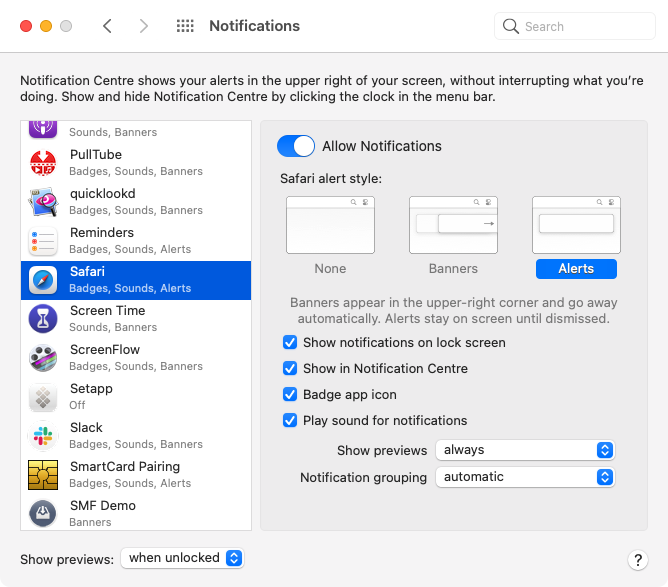
-
The user disabled the notifications for the website itself in the system settings of MacOS.
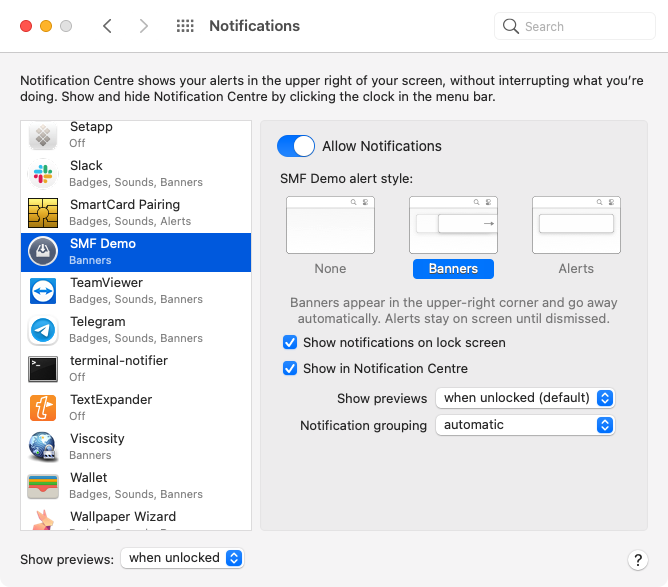
-
The user disabled the notifications for the specific web site in the Safari settings:
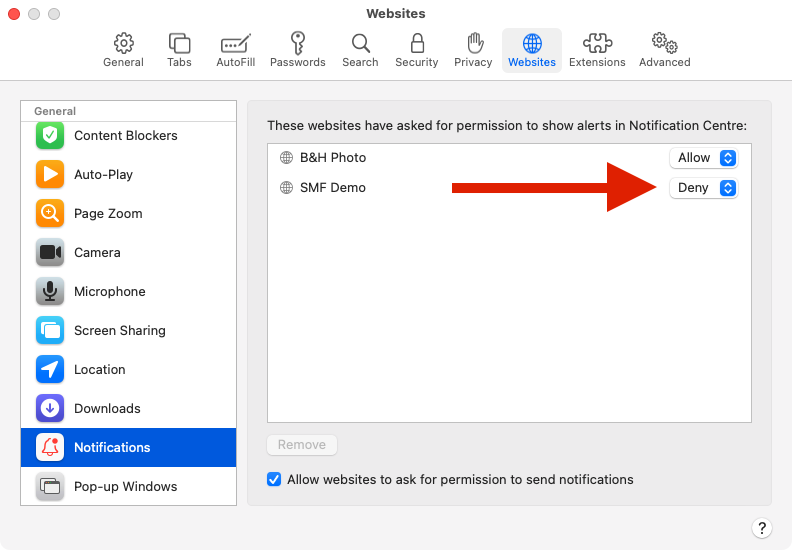
-
The user expects to receive a push notification on an iOS device what is not possible.
-
The customer updated the settings for the respective domain (refer to Safari Push Package was changed).
-
Safari Push Package was changed
Once a domain is in production, any change on the domain settings for APNS
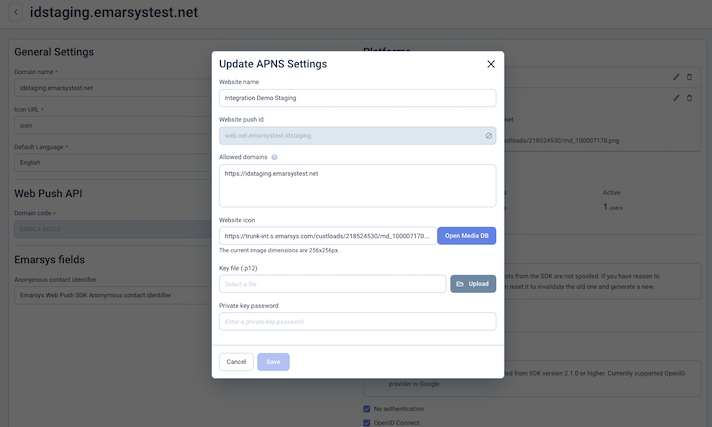
will break the delivery of push notifications to users that already granted the reception of push notifications.
The Safari browser is caching the push package it fetched from the endpoint where the packages reside. So changes on the package are never recognized.
The issue can only be fixed, by clearing the caches and removing the website from the Safari Website settings. This will force that the package is reloaded.
The browser does not show the "Ask for Push Permission" dialog
-
In the Safari settings, the user did not allow websites to ask:
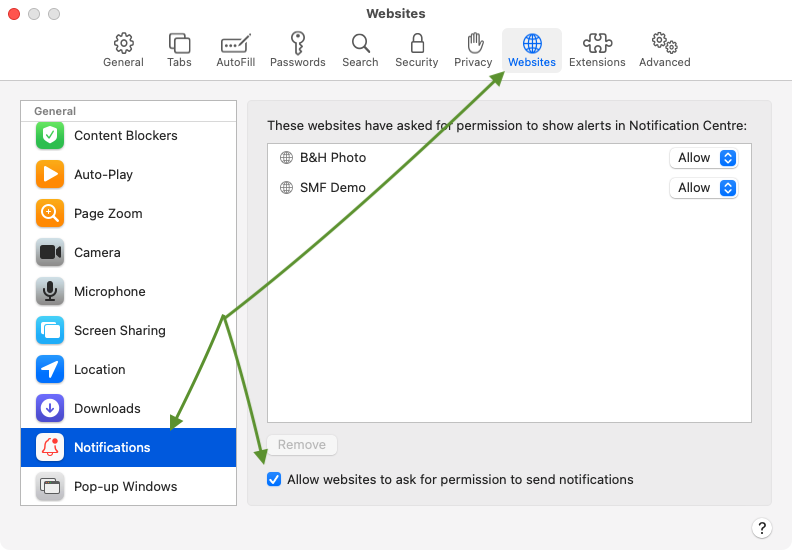
-
In any of the browser the user already denied one time the ask for permission request. In this case the choice has to be undone in the browser settings.
Safari Permission Denied
In this case, we need to debug the Safari Push Package.
First, download the Safari Push Package for a specific Web Push Id. So given the Web Push ID web.net.emarsystest.id
curl -v -X POST https://me-client.eservice.emarsys.net/v2/pushPackages/web.net.emarsystest.id --output package.zipFurthermore, we should look at Saved Search "ME - Web Push Safari" in Laas.