Privileged Access Management (PAM)
Google Cloud Platform Privileged Access Management (PAM) is a security service that provides just-in-time access to GCP resources through time bound, approval-based workflows. Instead of granting permanent elevated privileges to users, PAM allows organizations to implement the principle of least privilege by giving users the baseline privileges (read-only) and requiring them to request temporary elevated access to specific resources when needed, with configurable approval processes and comprehensive audit trails.
PAM is primarily used to secure access to production environments, sensitive data, and critical infrastructure components by replacing permanent privileges with on-demand access requests. It is used to control who can access what resources, when they can access them, for how long and who has to sign off on the request, while maintaining audit logs of all privileged activities for compliance and security monitoring purposes.
The key benefits of implementing GCP PAM are:
-
🛡️ Reduced attack surface through elimination of permanent elevated privileges
-
⚠️ Reduced accidental damage risk by developers and operators
-
📝 Enhanced accountability as all privileged actions require justification
-
🤝 Shared responsibility by using approval workflows to sign off on elevated access requests
-
🚫 Prevention of "click-ops" in production, thereby incentivizing developers to use infrastructure as code (IaC)
-
🚨 Maintained operational efficiency through streamlined emergency access procedures for incident response (break-glass procedure)
-
⚖️ Improved compliance with security frameworks through proper access controls and audit trails
PAM can be used for following principals: users, groups and service accounts.
Terminology
Entitlement
GCP PAM entitlement represents the following:
-
🎭 Roles: Set of roles that will be granted to the principal
-
🙋 Requesters: Set of principals who can request the entitlement
-
✅ Approvers: Set of principals who can approve the entitlement, if approval is required
-
⏰ Duration: Maximum duration that the roles will be granted for, before being automatically revoked
-
📋 Conditions: Optional set of conditions for the entitlement
-
Time period (e.g. days of week, hours of day) when entitlement is available
-
Resource-specific conditions (e.g. only for specific subset of resources)
-
There can be multiple entitlements in a GCP project.
Problem statement
Currently, all developers and operators are granted permanent elevated privileges (Owner role) on all Google Cloud Platform projects. For example, this also includes teams who do not directly deploy to, or operate production environments (e.g. QA, Mobile Engineers, etc.).
This poses following risks in case of a compromised account:
-
🔓 Unrestricted resource access - can create, modify, or delete any resource without restrictions or approval
-
🔐 IAM and security risks - can grant or revoke access for any user or service account without approval
-
📊 Data and privacy risks - can access sensitive data (secrets, PII) without justification and approval
-
💰 Financial and billing risks - can provision expensive resources without budget controls
-
🕵️ Audit and compliance risks - lack of accountability and regulatory compliance issues
Proposed solution
We propose to implement a Privileged Access Management (PAM) system:
-
👀 Baseline privileges - User is granted only minimum required read-only access on the production GCP projects (
Viewerrole) -
🔒 Temporary elevated access - User is required to request elevated access when needed
-
📝 Business justification - User is required to provide a business justification for the elevated access request
-
🤝 Sign-off - User is required to get a sign-off from peers or managers during business hours
-
⏱️ Time bound - Granted elevated access is time bound and audited
-
🚨 Emergency break-glass procedures - During on-call hours, full access is granted without approval
-
🎯 Role-based access levels - Multiple PAM entitlements for different tasks/teams, following the principle of least privilege and reducing the blast radius
Workflow
1. Requester creates a grant
User can request elevated access either through the Google Cloud Console or through the Google Cloud CLI.
When requesting elevated access, user needs to select the GCP project and entitlement they need, provide a business justification and duration for the elevated access.
Google Cloud Console (UI)
-
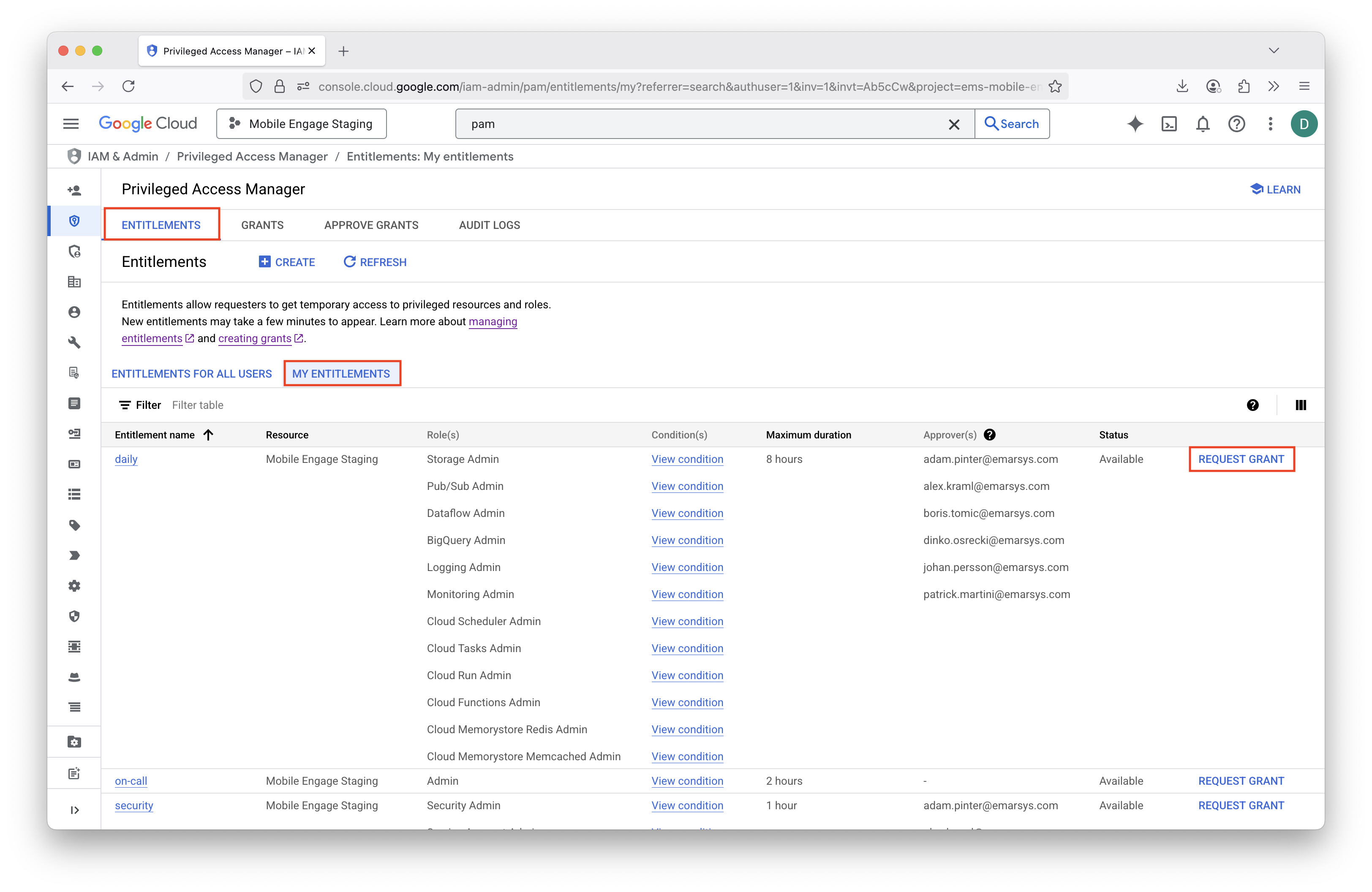
Go to PAM (Privileged Access Manager) product in the Google Cloud Console.
-
Choose Entitlements → My Entitlements and click "Request Grant" next to an entitlement you want to request a grant for.
-
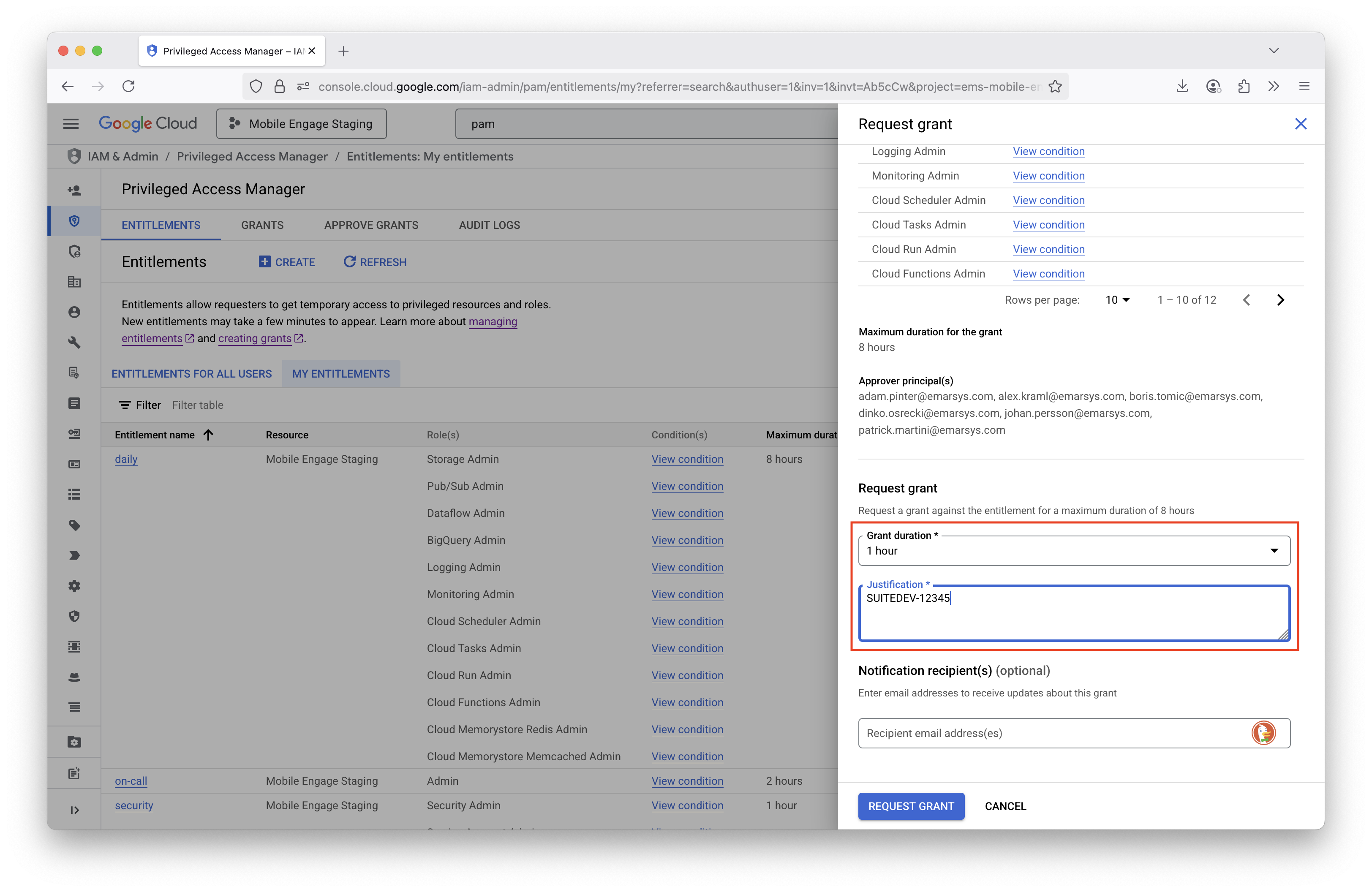
Fill in the duration and business justification and request the grant.
-
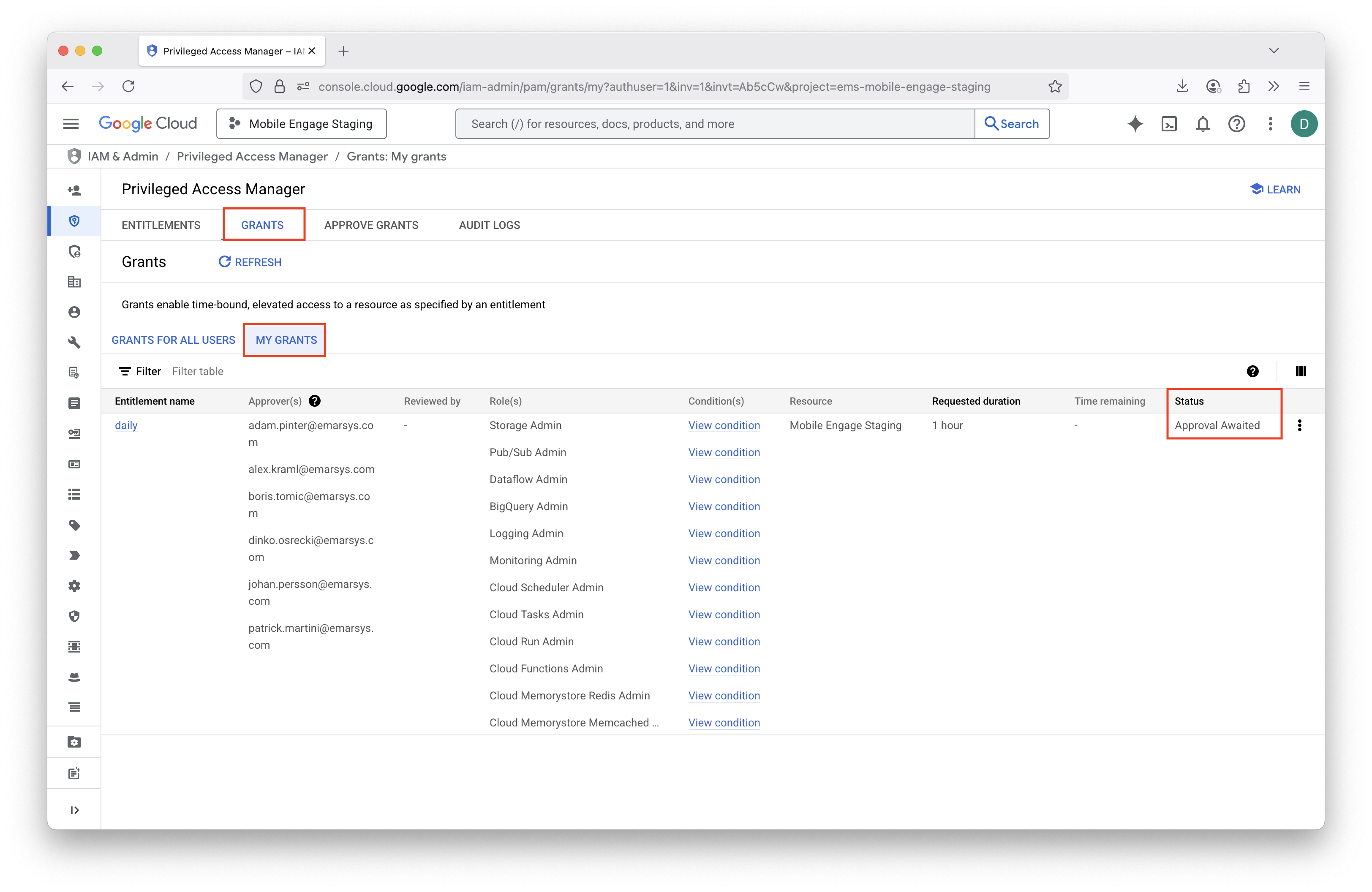
Wait for the approval (if entitlement requires approval).
CLI
-
List all entitlements for which you can request a grant. Copy the entitlement name from the output.
gcloud pam entitlements search \ --caller-access-type=grant-requester \ --project=ems-mobile-engage \ --location=global \ --filter='state=AVAILABLE' \ --format='table(name, maxRequestDuration, privilegedAccess.gcpIamAccess.roleBindings.role)' # Example output # ~~~~~~~~~~~~~~ # NAME MAX_REQUEST_DURATION ROLE # projects/ems-mobile-engage/locations/global/entitlements/daily 3600s ['roles/bigquery.admin'] -
Create a grant for the entitlement. Provide the entitlement name, justification and requested duration.
gcloud pam grants create \ --entitlement='projects/ems-mobile-engage/locations/global/entitlements/daily' \ --justification='SUITEDEV-12345' \ --requested-duration=1800s \ --format='table(name)' # Example output # ~~~~~~~~~~~~~~ # NAME # projects/ems-mobile-engage/locations/global/entitlements/daily/grants/b4d56f68-822b-4841-a4be-c46fd6e43b90 -
Wait for the approval (if entitlement requires approval).
2. Approver approves the grant
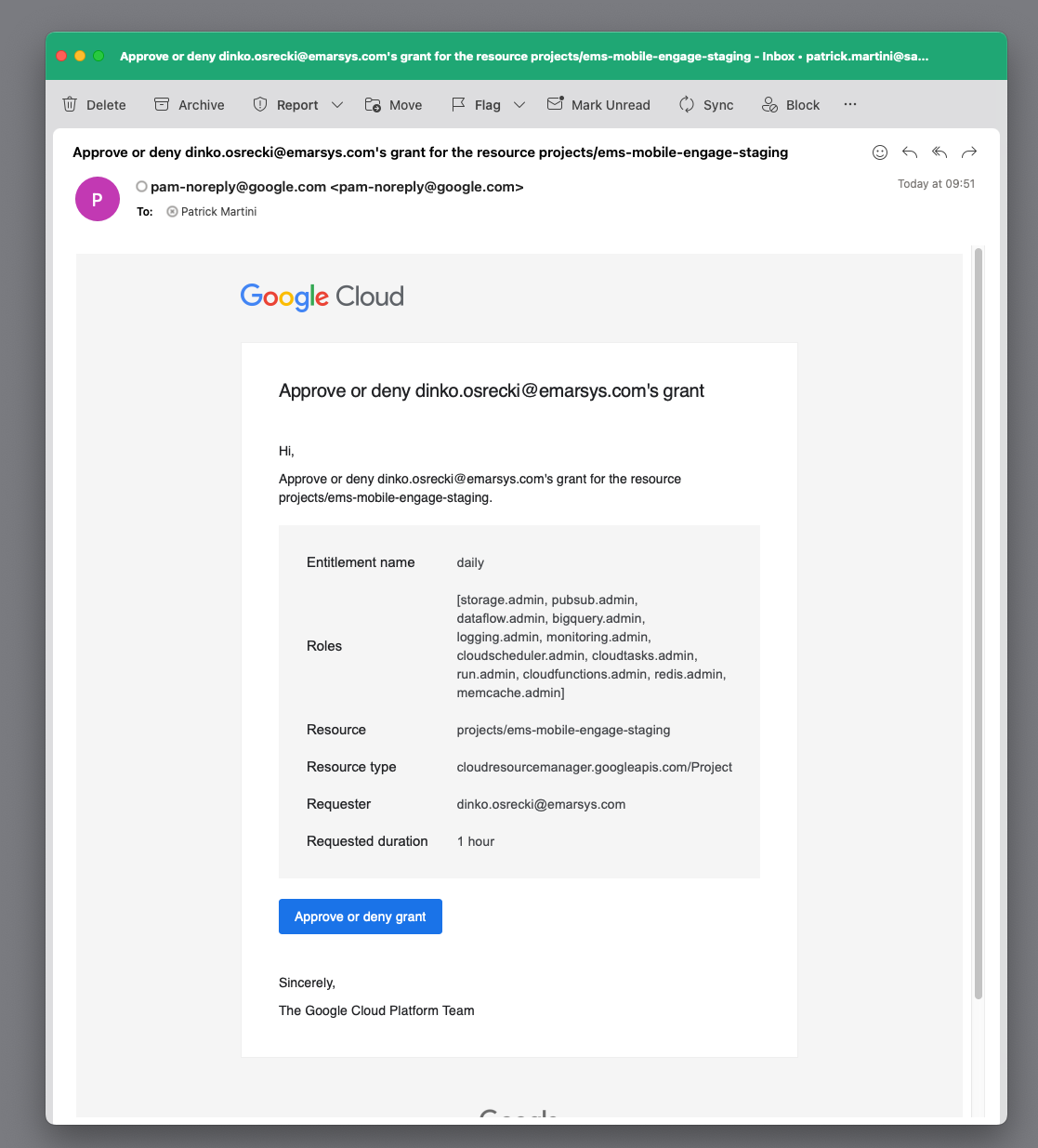
All entitlement approvers receive an e-mail with the request. Any approver can approve the request by clicking on the link in the email.
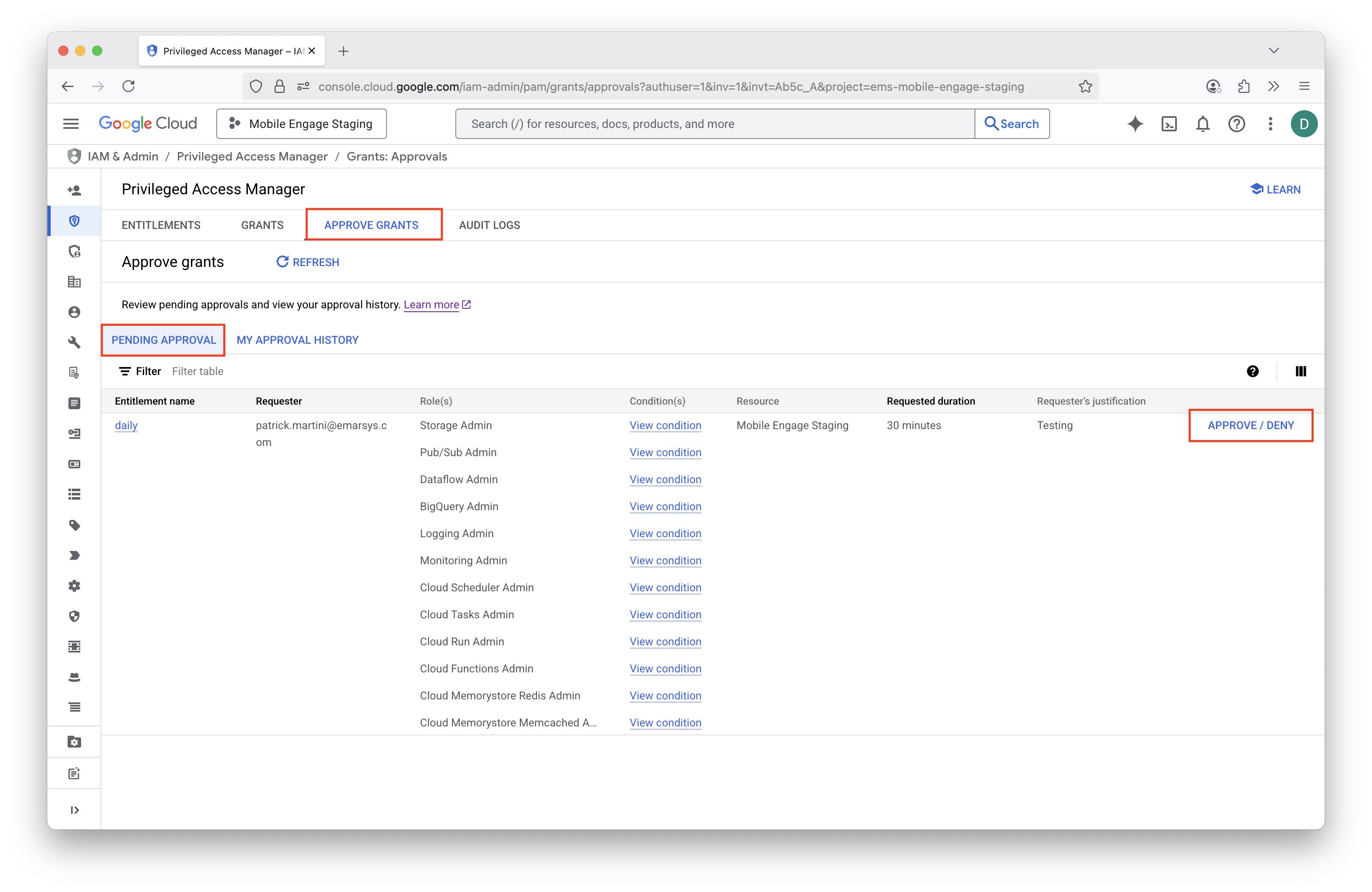
gcloud CLI
-
List all grants that require approval from you. Copy the full grant name from the output.
gcloud pam grants search \
  --caller-relationship=can-approve \
  --entitlement='projects/ems-mobile-engage/locations/global/entitlements/daily' \
  --format='table(name, state, requestedDuration, justification.unstructuredJustification)'

# Example output
# ~~~~~~~~~~~~~~
# NAME                                                                                                                STATE             REQUESTED_DURATION  UNSTRUCTURED_JUSTIFICATION
# projects/ems-mobile-engage-staging/locations/global/entitlements/daily/grants/5473faab-7b33-4a49-a8c9-a5d64123599f  APPROVAL_AWAITED  1800s               Testing
me-cli
+
me-cli pam grants create -r "SUITEDEV-1234"

# Example output
# ~~~~~~~~~~~~~~
# Created grant projects/ems-mobile-engage-staging/locations/global/entitlements/daily/grants/0e8179e5-8b8e-43c7-8051-32d9c93a6e17
You can also pass additional arguments to the me-cli pam grants create command. Otherwise you will be prompted to select the entitlement.
Project is taken from your configuration by default, and duration is set to 30 minutes by default.
|
Flags:
  -d, --duration string      duration for which the grant is valid (default and min is 30 minutes, max is 8 hours) (default "1800s")
  -e, --entitlement string   entitlement to be used for creating the grant
  -h, --help                 help for create
  -p, --project-id string    project id to be used
-r, --reason string (Required) reason for creating the grant-
Approve the grant.
gcloud CLI
+
gcloud pam grants approve \
  'projects/ems-mobile-engage/locations/global/entitlements/bigquery-admin/grants/b4d56f68-822b-4841-a4be-c46fd6e43b90'
me-cli
+
me-cli pam grants approve

# Example output
# ~~~~~~~~~~~~~~
# Approved grant projects/ems-mobile-engage-staging/locations/global/entitlements/daily/grants/0e8179e5-8b8e-43c7-8051-32d9c93a6e17
You can also pass additional arguments to the me-cli pam grants approve command. Otherwise you will be prompted to select the entitlements and grants to approve.
Project is taken from your configuration by default. Reason is by default empty.
|
Flags:
  -e, --entitlement string   entitlement to be used for listing grants
  -g, --grant-name string    name of the grant to be approved (if provided, only this grant will be approved)
  -h, --help                 help for approve
  -p, --project-id string    project id to be used
-r, --reason string reason for approving the grant| If you do not want to approve the grant or by mistake you have already done so, you can use following command to deny or revoke the grant. |
me-cli deny grant
+
me-cli pam grants deny
# Example output
# ~~~~~~~~~~~~~~
# Denied grant projects/ems-mobile-engage-staging/locations/global/entitlements/daily/grants/0e8179e5-8b8e-43c7-8051-32d9c93a6e17
me-cli revoke grant
+
me-cli pam grants revoke
# Example output
# ~~~~~~~~~~~~~~
# Revoked grant projects/ems-mobile-engage-staging/locations/global/entitlements/daily/grants/0e8179e5-8b8e-43c7-8051-32d9c93a6e17
For all the commands above you can use --help or -h flag to see the available options and flags. Otherwise you will be prompted to select required options.
|
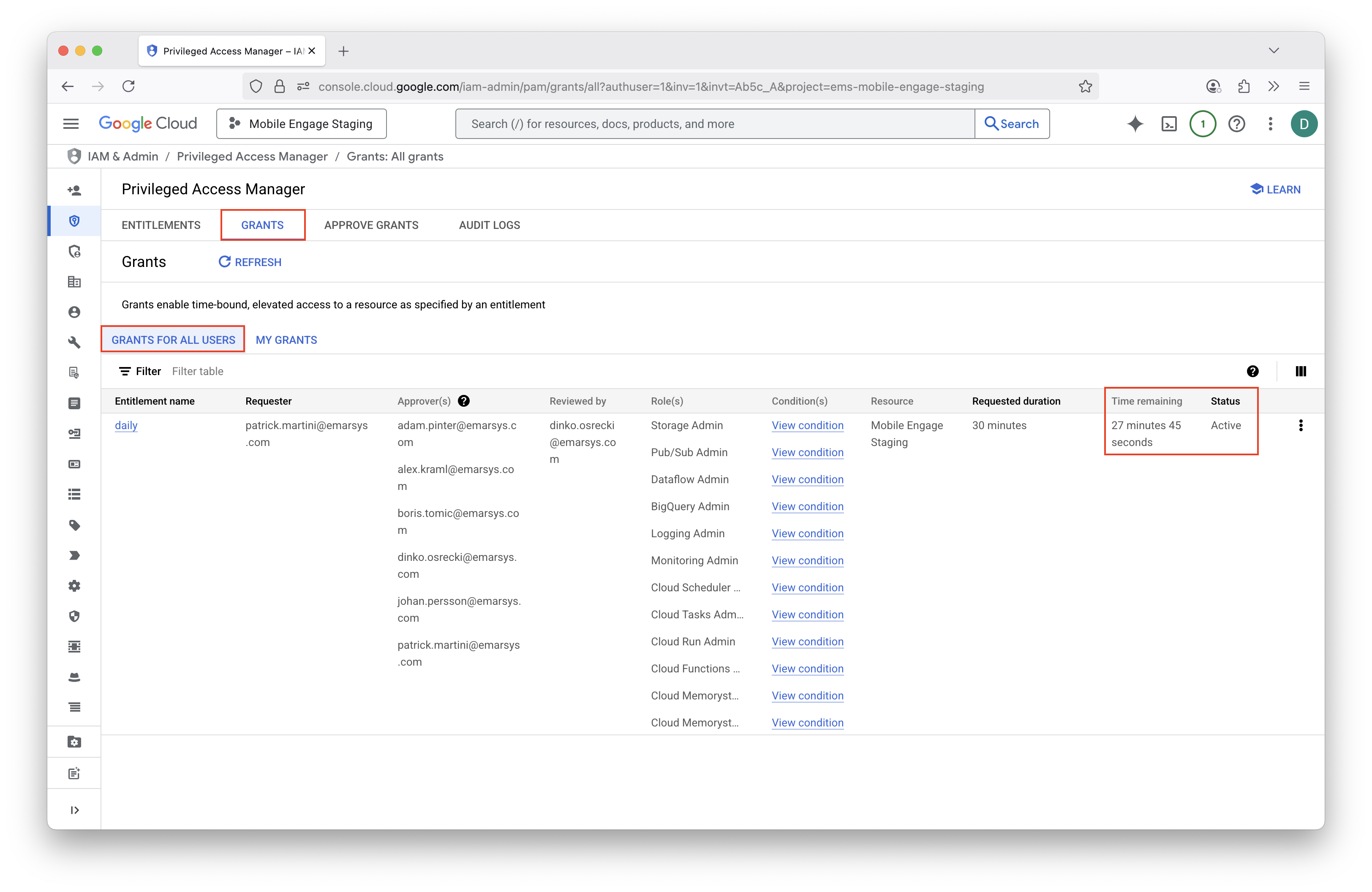
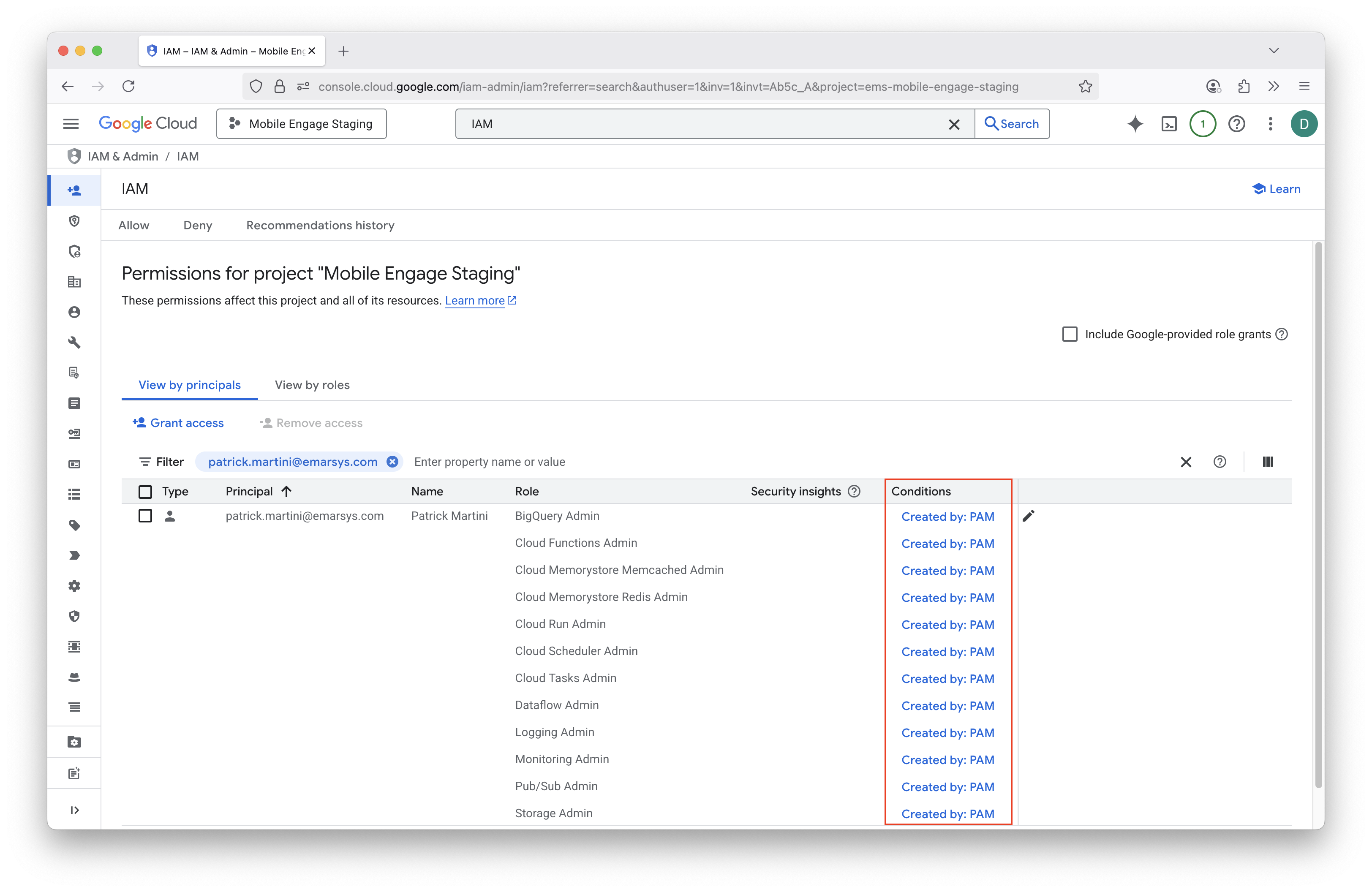
Entitlement types
We use different entitlement types for different use cases. Each entitlement has different roles, approval requirements, maximum duration and availability conditions.
All the entitlements are provisioned through me-infrastructure repository.
Daily
-
⏱️ Available during business hours - Monday to Friday, 7:00 AM to 7:00 PM (Vienna time)
-
🔧 For tasks that cannot be performed via infrastructure as code (IaC)
-
🔒 Allows performing all tasks related to existing infrastructure, except security-related tasks
-
🔒 On staging Mobile Engage project, additionally allows for prototyping (gives
Ownerrole) -
🔄 Maximum duration is 8 hours, before it needs to be renewed
-
🤝 Requires approval by at least one peer
On-call (break-glass)
-
⏱️ Available during on-call hours - Monday to Sunday, 5:00 PM to 10:00 AM (Vienna time)
-
🚨 For emergency access during on-call hours
-
🔒 Allows performing all tasks (
Ownerrole) -
🔄 Maximum duration is 2 hours, before it needs to be renewed
-
✅ Does not require approval
Security
-
⏱️ Available during business hours - Monday to Friday, 7:00 AM to 7:00 PM (Vienna time)
-
🔧 For security-related tasks that cannot be performed via infrastructure as code (IaC)
-
🔒 Allows performing all security-related tasks (IAM, PAM, Service Accounts, Security Center, Secret Manager)
-
🔄 Maximum duration is 1 hour, before it needs to be renewed
-
🤝 Requires approval by at least one peer
Future considerations
Service accounts
Service accounts can also be made more secure by using PAM. For example, when using service accounts for CI/CD pipelines, scheduled periodic jobs, or other automated processes, a service account could self-elevate its access to the production GCP projects.
For this purpose, dedicated entitlements must be created for different service accounts. Entitlements should be configured to be automatically approved, but should only be available during time periods when the service account is used (e.g. a job which runs daily at 10:00 AM, and takes 30 minutes to complete).
This way we reduce the exposure of the service account since it can only be exploited during the limited time period when the grant is active.
We could similarly also secure other service accounts, which do not have predictable time periods when they are used.
In this case, we are only protecting against accidental usage of the service account, and not against a malicious actor
who could gain access to the service account credentials. One such example is me-atlantis service account, which is used
to manage the ME infrastructure. By giving this service account automatic elevated access only when PRs are opened, we can reduce
the possibility of this service account being accidentally used by a developer/service.