How To Safely Experiment And Collaborate On Segmentation Templates
My learnings from the January 2025 Rotation with Gabor Manner from the Segmentation Team
(Disclaimer: In this article I am assuming that you are familiar with some basic segmentation related concepts, like what the difference between a template and a segment is, and how they are related. I also assume you are familiar with the the uss-templates repo and have your env setup to run unit tests locally. Also, note that actual deployments to production can only be done by the Segmentation Team themselves.)
For us, in Mobile Engage, testing new segmentation changes was always sort of a challenge. A whole ecosystem that is very core to what our services offer, maintained by a team 'far away' in Budapest. It is this ecosystem that provides access to the 'heart' of Emarsys, the data, to our customers.
The first thing we had to understand is that when it comes to end-to-end testing of segmentation changes is that testing is done on staging. Since this is the official recommendation by the segmentation team, this is the way.

Once we come to terms with this, and accept it for what it is, we can move on, and explore how to test this on staging 'safely'.
During my rotation with Gabor, I learned there are 2 good ways of getting this done.
No. 1: The Easy Way - blocking template’s deployments
A handy set of 'flippers' exist in the properties.json file of each segmentation template, that makes safe handling of a segmentation template, a breeze. The strategy of 'The Easy Way' is to basically 'block' what is on staging, in your template only, from getting released.
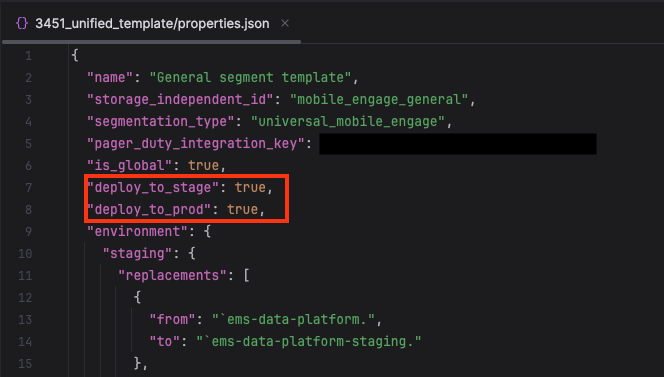
This can be achieved with the boolean flippers you see here.
Setting deploy_to_prod to false will prevent any changes made to the template since setting the flipper, from getting rolled out to production. i.e. The oldest version of the template where this was set to true will stay live, no matter what changes you made to the template since. deploy_to_stage works in a similar fashion.
Because deployments to production could happen at any time (think other teams, wanting to get their changes rolled out to production), this is the most convenient way to prevent the 'testing-in-progress' changes in your template from getting to production, while other templates can still be released successfully.
However, other teams that are working on the same template as you, would also be blocked and prevented from rolling out their changes. This is why there is…
No.2: The Hard Way - making a new copy of the template

The strategy of 'The Hard Way' is to make a new copy of our template, which we can test separately from our original template. Once we are satisfied, we can then later apply these changes back to the original template manually. But first we need to understand some further concepts of the segmentation template’s 'flippers' in the properties.json file.
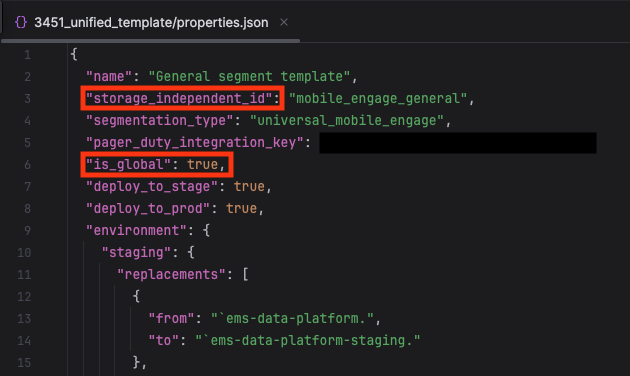
Firstly, the storage_independent_id. This is the 'holy' internal unique ID that every template has. In the Segmentation DB it is used everywhere to tie any segment to the respective unique template. But it is also used to manage access on a customerId basis.
Which leads us to the is_global boolean flipper. With this, we can prevent a template from getting rolled out to all customers immediately. Set this to false and the template will be hidden for all customers, except ones configured by the Segmentation Team in the Segmentation DB. We will do this later together with them.
I hope you can see at this point where this is going…
So lets get started by copying the folder that contains your template. Make sure to rename it to something that makes sense to you, but rest assured, this folder name is not used anywhere on the UI so its not visible to anyone but you, the developer.
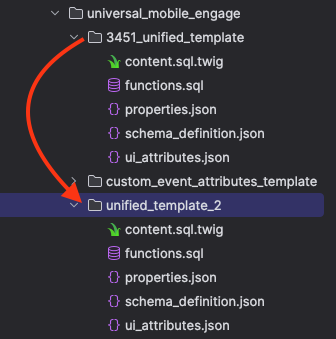
In this case we just called it unified_template_2.
Now, we need to make some adjustments in the properties.json file of the new template.
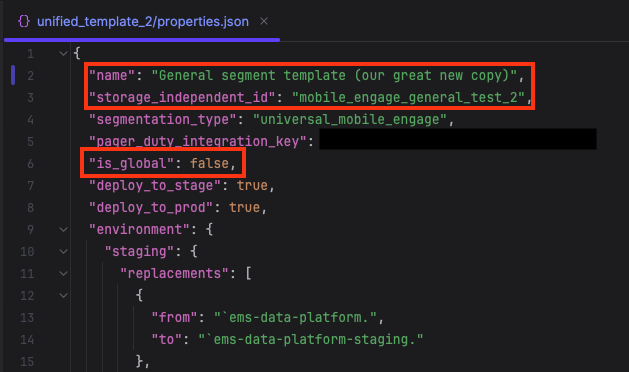
name is the name that will appear on the segmentation UI dropdown in Suite. So make sure you give it a different name than the template you copied from, or you will be left guessing which one to pick when you come to test it later on staging.
Next, set is_global to false, as otherwise, on release to production, it will be available for all customers immediately! We only want this to be available for our select test accounts. And as already mentioned, we will have to contact the Segmentation Team for this later.
And last but not least, make sure the storage_independent_id is different from the template you copied this from! Otherwise your changes will never become available on staging. Here we picked mobile_engage_general_test_2 .
Next, let’s setup the unit tests for our newly cloned template. It is fairly simple. Find the unit tests of your original template. In our case, it was in src/template/scala/com/emarsys/templates/universal_mobile_engage.
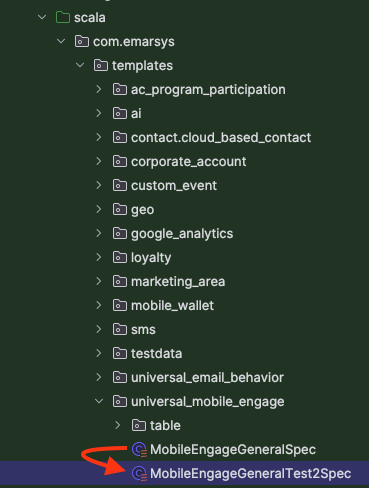
Copy (all) the related spec file(s) to a new file, then open it and find the templateId variable. Change it to reflect the storage_independent_id that you picked for your new template earlier (here mobile_engage_general_test_2).
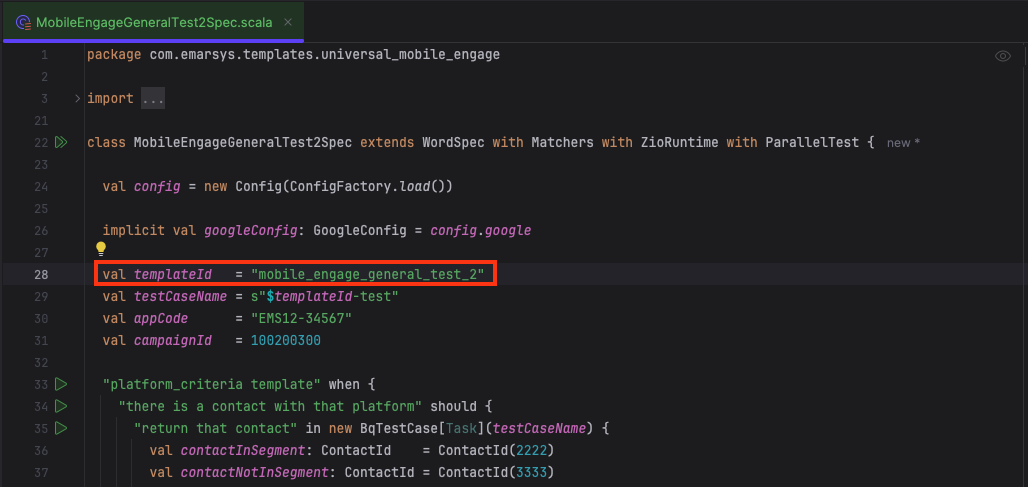
Now you are ready for a PR or push straight to staging if you dare (and have permissions), since you didn’t touch any existing templates, there is nothing that can go wrong here 🤞 and this will surely not cause any incidents :harold: .
Once it is deployed to staging, we need to manually make it available to customers and test accounts (since we set is_global to false earlier). To achieve this we need the Segmentation Team’s help, as they have to manually enable the template to be available for customers, in the Segmentation DB. You can find their channel on slack, it is called #team-segmentation. Just drop them a message like this:
Hi @segementation, Can you please enable my new template (storage_independent_id) '`mobile_engage_general_test_2`' on STAGING for the following customers:
213239625
218524530

Cheers 🍻
They are very friendly, and will not bite, and help you as soon as they can! Should you want to test this template on production accounts, you will have to repeat this step and send the Segmentation Team another request, after releasing.
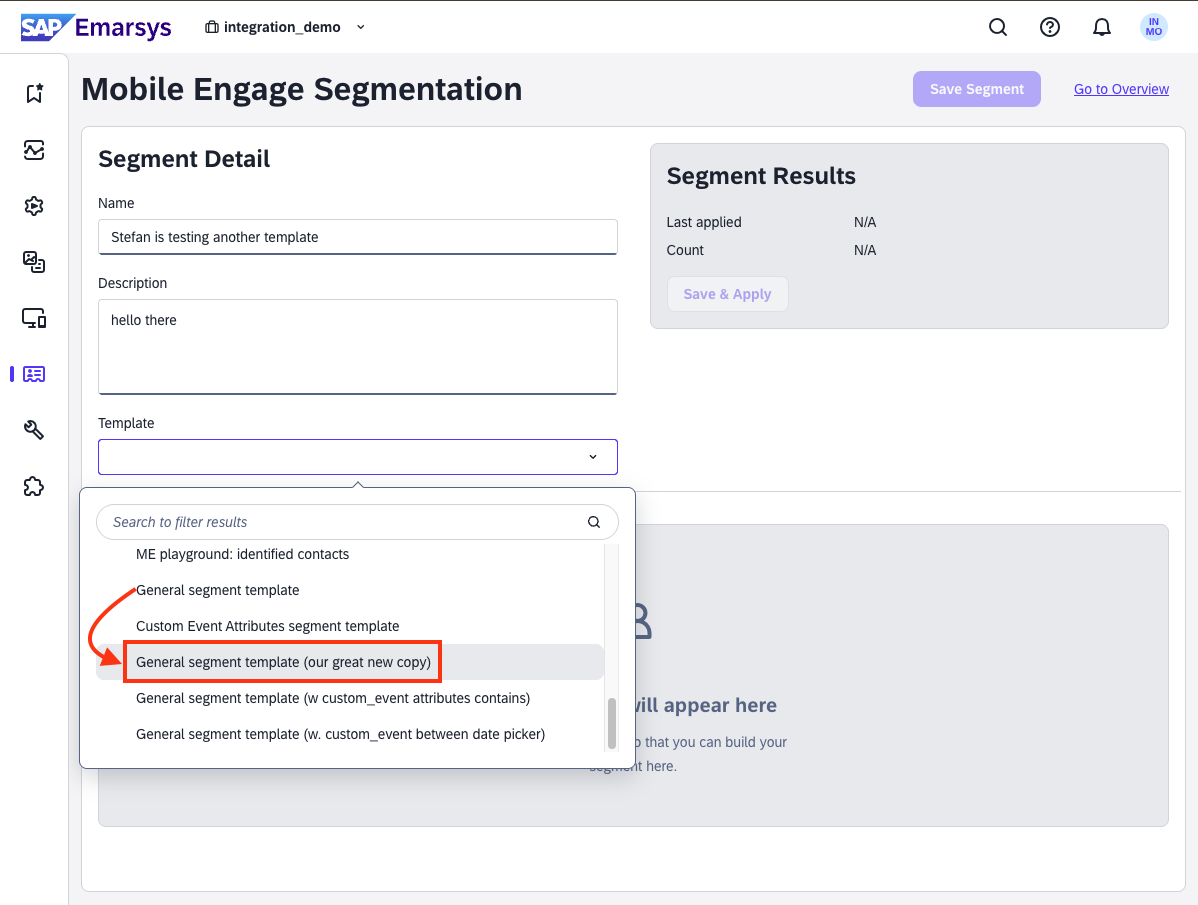
And voila! There it is! A fully unit-tested, new, separate template, setup on staging, in just a few clicks! A template where you are free to live out and unleash your wildest SQL fuelled dreams onto the SAP Emarsys data that is available in BQ. Free to mess up and make as many mistakes as you need, without ever affecting any production customer, or disrupting any of your fellow developers. And trust me, you will make those mistakes! And you do not want to make them on the template that is currently used by 1000s of customers and 10000s of segments.
Finally, once you are happy with your new template, you will have to manually apply all the changes to your original template (Don’t forget to apply the unit tests too). But since you were able to thoroughly test those changes, testing them again on the main template, should by now, without a doubt, be quick and successful!
If you have made it this far, then thanks for reading, and Happy Segmenting! ✌️